
PoxiNTFSMac
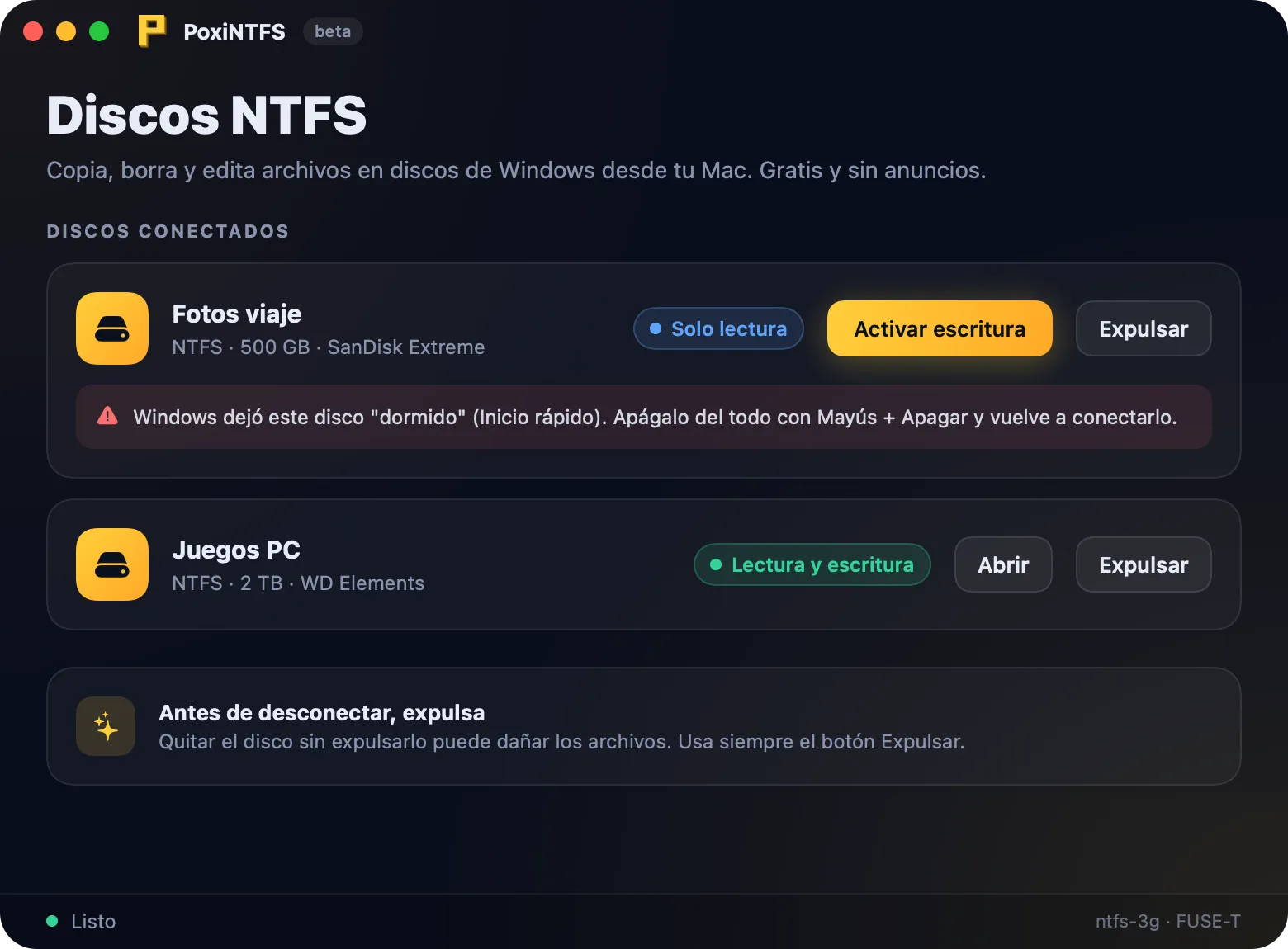
macOS reads Windows drives but will not write to them. With PoxiNTFS you plug the drive in, press Enable writing and use it like any other. Free, with a Spanish interface.
macOS 14 or later · Apple Silicon (M1 or newer) · v0.1.0 · 16 Oct 2026
What it does
How to install it
- Click Download and open the .dmg when it finishes.
- Drag the app to Applications and open it.
- If macOS blocks it, go to System Settings → Privacy & Security → Open Anyway. You only need to do it once. Why does it show up?
This is a beta: thoroughly tested with virtual NTFS disks, still lightly with physical ones, so back up anything important before writing. Install FUSE-T first (only once): brew install --cask fuse-t
Why it is safe
Check the file
Its SHA256 fingerprint must match the one of the file you download.
19a510ff2839971c4b0183eafdbf8162969aea117c7bd5eb44eb38e6fdcaa2d5What's new in v0.1.0
Primera beta de PoxiNTFS: escribe en discos NTFS (de Windows) desde tu Mac.
📥 Instalar
- Instala FUSE-T una vez:
brew install --cask fuse-t - Abre PoxiNTFS-0.1.0.dmg y arrastra PoxiNTFS a Aplicaciones.
- La primera vez macOS la bloquea porque no está firmada: cierra el aviso y ve a Ajustes del Sistema → Privacidad y seguridad → Abrir igualmente.
✨ Novedades
- Detecta los discos NTFS y muestra si están en solo lectura o con escritura.
- Activar escritura con ntfs-3g 2026.9.28 (incluido) y FUSE-T, sin extensiones del kernel.
- Abrir en Finder y Expulsar con seguridad.
- Avisos en castellano para Inicio rápido de Windows y discos sin cerrar bien.
- Sin archivos
._y con nombres válidos para Windows. - Icono en la barra de menú.
⚠️ Beta
Probada a fondo con discos NTFS virtuales, todavía poco con discos físicos. Haz copia de lo importante. Solo Apple Silicon y macOS 14 o superior.
Technical details
| Version | v0.1.0 · 16 Oct 2026 |
| Installer | PoxiNTFS-0.1.0.dmg · 0.4 MB |
| SHA256 | 19a510ff2839971c4b0183eafdbf8162969aea117c7bd5eb44eb38e6fdcaa2d5 |
| License | GPL-3.0 |
| Source code | github.com/PoxiiTV/PoxiNTFS |
When it finishes, open it. If Windows warns you, click More info and then Run anyway. Why does it show up?
When it finishes, open the .dmg and drag the app to Applications. If macOS blocks it, go to System Settings → Privacy & Security → Open Anyway. Why does it show up?