
PoxiMP
Your local music in a light player that tells you whether each file is what it claims: the "320" MP3 that is really a 128, the FLAC that came from an MP3.
Windows 10 and 11, 64-bit · v1.0.0 · 10 Nov 2026
Also for Mac: macOS 11 or later · Apple Silicon (M1 or newer).
macOS 11 or later · Apple Silicon (M1 or newer) · v1.0.0 · 10 Nov 2026
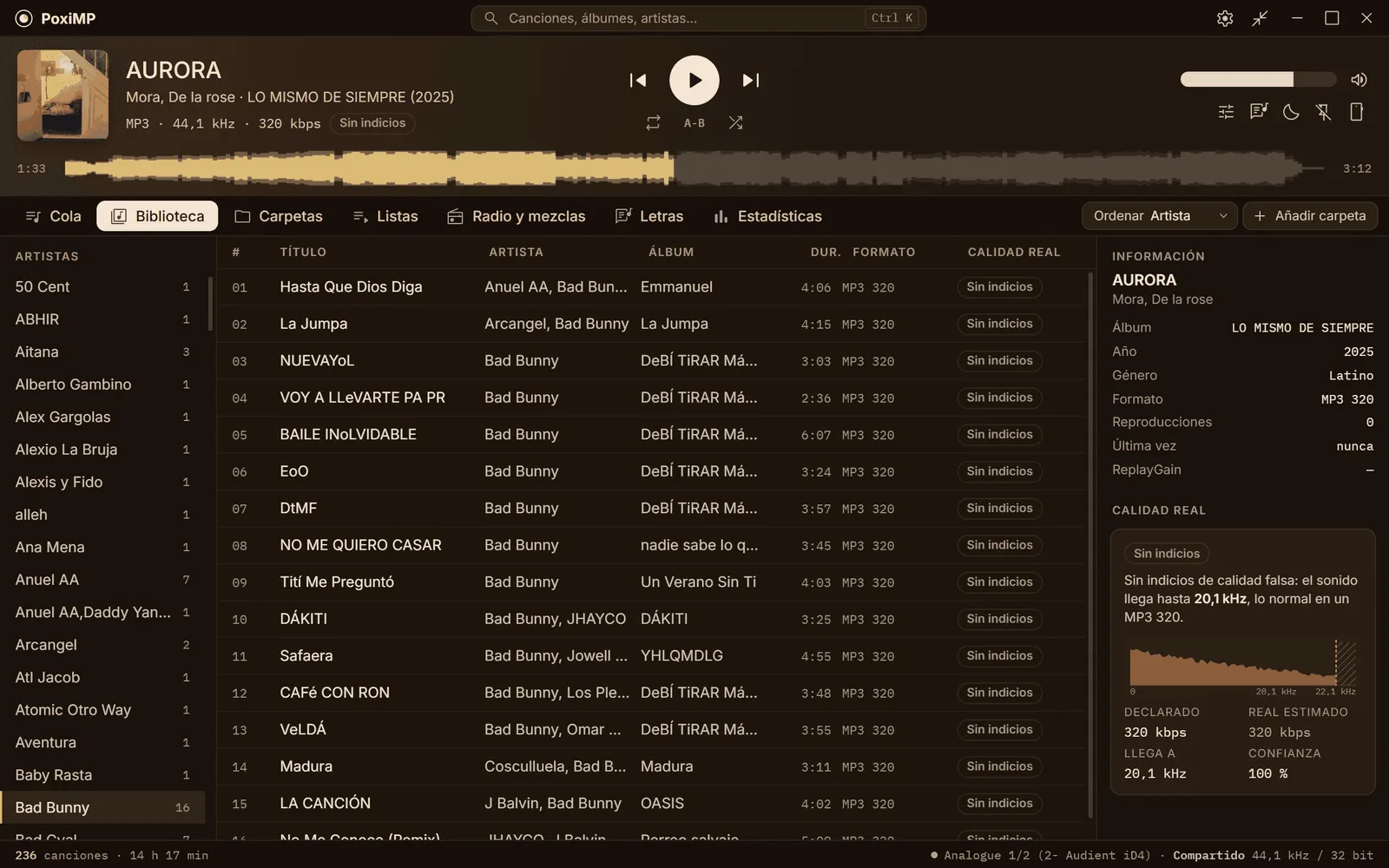
What it does
Installer or portable?
Installer · recommended
Installs like any other app, with a shortcut and uninstall from Windows. Updates itself when a new version is out.
Portable
A single file you open without installing anything. Great for a USB stick or a PC that is not yours.
How to install it
- Click Download and open the file when it finishes.
- If Windows warns you, click More info and then Run anyway. Why does it show up?
- Follow the installer. You will be ready in a minute.
- Click Download and open the .dmg when it finishes.
- Drag the app to Applications and open it.
- If macOS blocks it, go to System Settings → Privacy & Security → Open Anyway. You only need to do it once. Why does it show up?
Only for Macs with an Apple chip: there is no Intel version. It updates itself. If macOS says the app "is damaged", run this in Terminal: xattr -cr /Applications/PoxiMP.app
Why it is safe
Check the file
Its SHA256 fingerprint must match the one of the file you download.
11ffce740a69f3f1579f5e67fb860158a00b939e9978e82d939ffa00367a9eaeWhat's new in v1.0.0
🇪🇸 Español
- 🎉 Primera versión estable.
- 🍎 PoxiMP para Mac con chip Apple (M1 o posterior): el mismo reproductor, también con actualización automática. La descarga para Mac ya está disponible en esta versión.
- 📜 Licencia PolyForm Noncommercial 1.0.0: úsalo, estúdialo, modifícalo y compártelo libremente mientras no sea para un uso comercial.
🇬🇧 English
- 🎉 First stable version.
- 🍎 PoxiMP for Mac with an Apple chip (M1 or later): the same player, automatic updates included. The Mac download is now available in this version.
- 📜 PolyForm Noncommercial 1.0.0 license: use it, study it, modify it and share it freely as long as it's not for commercial use.
📥 Descarga / Download
- Windows (instalador / installer):
PoxiMP-Setup-1.0.0.exe— se actualiza solo / updates itself. - Windows (portable):
PoxiMP-1.0.0-portable.exe - Mac (Apple Silicon):
PoxiMP-1.0.0-mac-arm64.dmg
Technical details
| Version | v1.0.0 · 10 Nov 2026 |
| Installer | PoxiMP-Setup-1.0.0.exe · 5.9 MB |
| Portable | PoxiMP-1.0.0-portable.exe · 16 MB |
| Mac installer | PoxiMP-1.0.0-mac-arm64.dmg · 6.4 MB |
| SHA256 | 11ffce740a69f3f1579f5e67fb860158a00b939e9978e82d939ffa00367a9eae |
| License | PolyForm Noncommercial 1.0.0 |
| Source code | github.com/PoxiiTV/PoxiMP |
When it finishes, open it. If Windows warns you, click More info and then Run anyway. Why does it show up?
When it finishes, open the .dmg and drag the app to Applications. If macOS blocks it, go to System Settings → Privacy & Security → Open Anyway. Why does it show up?