
PoxiEQ
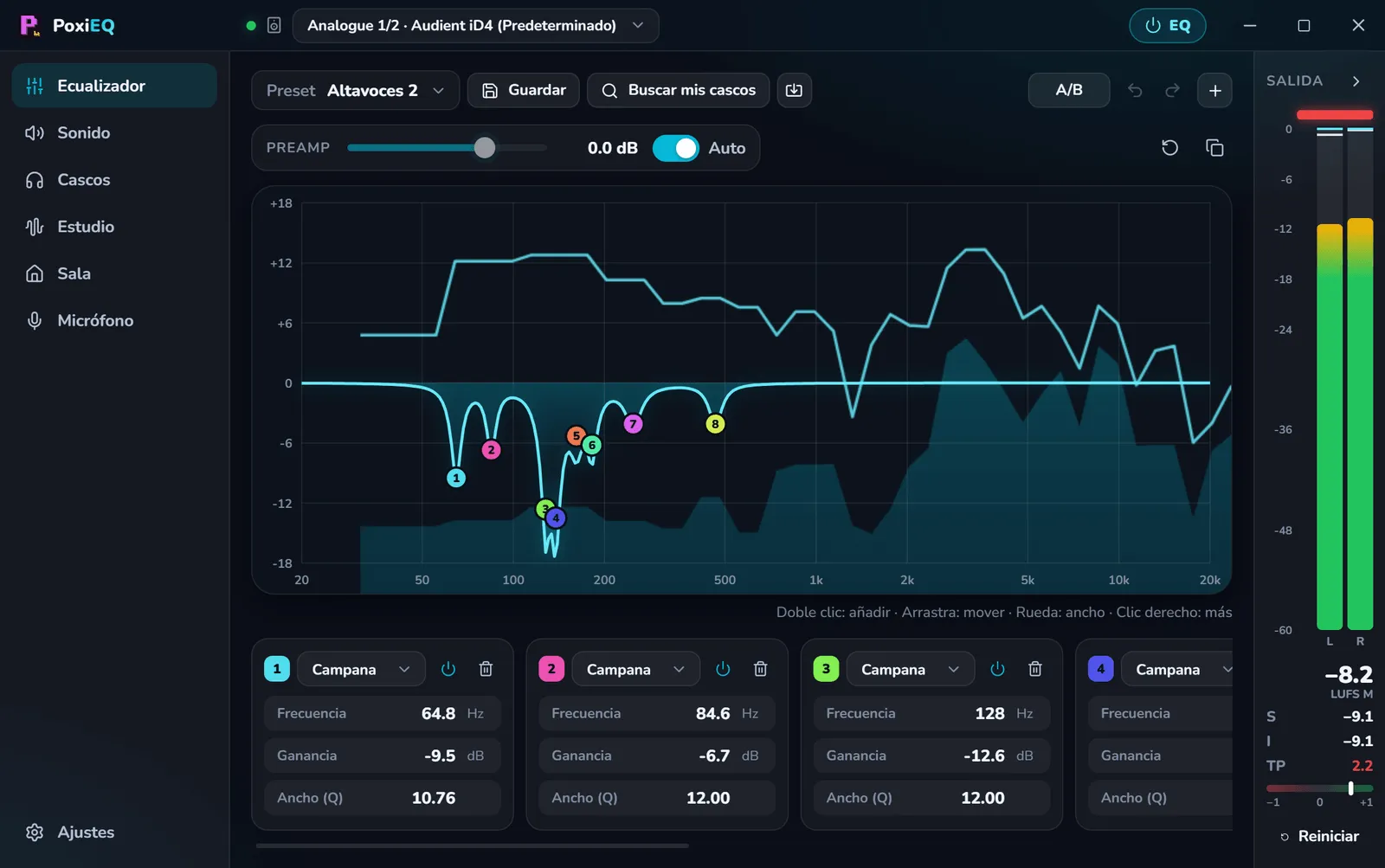
An equalizer for all of Windows sound: games, music and calls go through your curve, with zero delay and no reboot.
Windows 10 and 11, 64-bit · v0.2.1 · 2 Nov 2026
Windows 10 and 11, 64-bit · There is no Mac version. · v0.2.1 · 2 Nov 2026
What it does
Live curveDrag the points and the sound changes instantly, with studio meters always in view.
Your headphones, correctedType your model and apply its AutoEq correction, from over 8,000.
Each output with its ownPlug in other headphones or a Bluetooth speaker and PoxiEQ switches to its EQ.
How to install it
- Click Download and open the file when it finishes.
- If Windows warns you, click More info and then Run anyway. Why does it show up?
- Follow the installer. You will be ready in a minute.
The first time, it offers to enable its audio engine: Windows asks for administrator permission once and the sound cuts out for a couple of seconds. No reboot needed.
Why it is safe
Check the file
Its SHA256 fingerprint must match the one of the file you download.
4d32be181f67d2eb4d9bfd491054145d3d5cd317dfdb66751e1da5cbc2de7c77What's new in v0.2.1
🇪🇸 Español
- ⚡ Modo rápido: pulsa ⚡ Rápido junto a «EQ» y PoxiEQ se queda en una ventanita con pestañas y botones grandes de tus presets de Ecualizador, Sonido y Cascos. Un clic pone el preset en la salida de ahora y la ventana se va sola a la bandeja.
- ⚙️ Tus botones: en Ajustes → Modo rápido añades y quitas los que quieras (o ninguno) y eliges si la ventana se esconde al pulsar.
🇬🇧 English
- ⚡ Quick mode: click ⚡ Quick next to "EQ" and PoxiEQ shrinks to a small window with tabs and big buttons for your Equalizer, Sound and Headphones presets. One click puts the preset on the current output and the window goes to the tray by itself.
- ⚙️ Your buttons: in Settings → Quick mode add and remove the ones you want (or none) and choose whether the window hides when you click.
Technical details
| Version | v0.2.1 · 2 Nov 2026 |
| Installer | PoxiEQ-Setup-0.2.1.exe · 3.0 MB |
| SHA256 | 4d32be181f67d2eb4d9bfd491054145d3d5cd317dfdb66751e1da5cbc2de7c77 |
| License | PolyForm Noncommercial 1.0.0 |
| Source code | github.com/PoxiiTV/PoxiEQ |
Your download has started
When it finishes, open it. If Windows warns you, click More info and then Run anyway. Why does it show up?
When it finishes, open the .dmg and drag the app to Applications. If macOS blocks it, go to System Settings → Privacy & Security → Open Anyway. Why does it show up?