
PoxiDropMac
Shake the mouse while dragging a file and a floating shelf appears: drop it there, switch apps and take it out wherever you like. A free alternative to Dropover.
macOS 14 or later · Apple Silicon (M1 or newer) · v0.1.1 · 17 Oct 2026
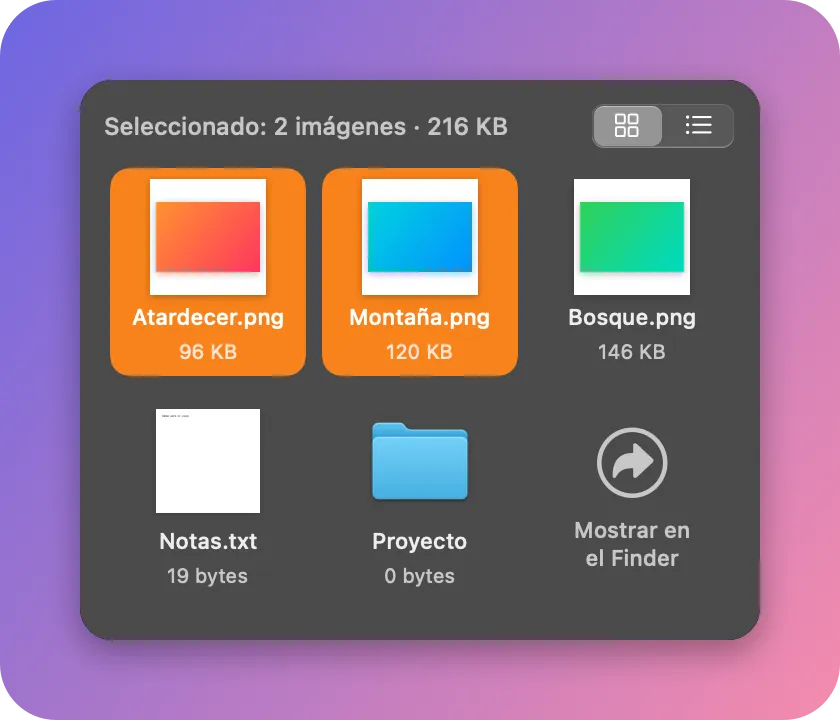
What it does
Shake to openOr with a key, or by dragging to the MacBook notch.
Quick actionsZIP, AirDrop, Messages, Mail, resize images, OCR, PDF and your own scripts.
Light, no permissionsAbout 46 MB of RAM when idle, no Accessibility permission and it never touches your originals.
How to install it
- Click Download and open the .dmg when it finishes.
- Drag the app to Applications and open it.
- If macOS blocks it, go to System Settings → Privacy & Security → Open Anyway. You only need to do it once. Why does it show up?
Why it is safe
Check the file
Its SHA256 fingerprint must match the one of the file you download.
e4988e3d478ddc3d4b55a303a7a146a85cfa08479a2673c43cbbb1e4cdb39d06What's new in v0.1.1
- Las miniaturas y los tamaños se olvidan cuando el archivo sale de todas las estanterías: la memoria ya no crece con el uso.
- Miniaturas a la medida que se dibujan (casi 3 veces menos memoria cada una).
- La posición de una estantería se guarda una vez al soltarla, no decenas de veces por segundo mientras la mueves.
- El vigía de arrastre mira el ratón 20 veces por segundo hasta que empieza un arrastre de verdad (60 durante el arrastre).
- Las acciones directas se crean la primera vez que se usan.
- Capturas del README redondeadas y con sombra.
- Nuevo
PoxiDrop --medirpara comprobar la memoria con muchas estanterías.
Technical details
| Version | v0.1.1 · 17 Oct 2026 |
| Installer | PoxiDrop-0.1.1.dmg · 0.6 MB |
| SHA256 | e4988e3d478ddc3d4b55a303a7a146a85cfa08479a2673c43cbbb1e4cdb39d06 |
| License | GPL-3.0 |
| Source code | github.com/PoxiiTV/PoxiDrop |
Your download has started
When it finishes, open it. If Windows warns you, click More info and then Run anyway. Why does it show up?
When it finishes, open the .dmg and drag the app to Applications. If macOS blocks it, go to System Settings → Privacy & Security → Open Anyway. Why does it show up?