
PoxiClicker
A complete, no-fuss autoclicker: pick the speed, set a hotkey and save your profiles.
Windows 10 and 11, 64-bit · v1.0.2 · 12 Oct 2026
Windows 10 and 11, 64-bit · There is no Mac version. · v1.0.2 · 12 Oct 2026
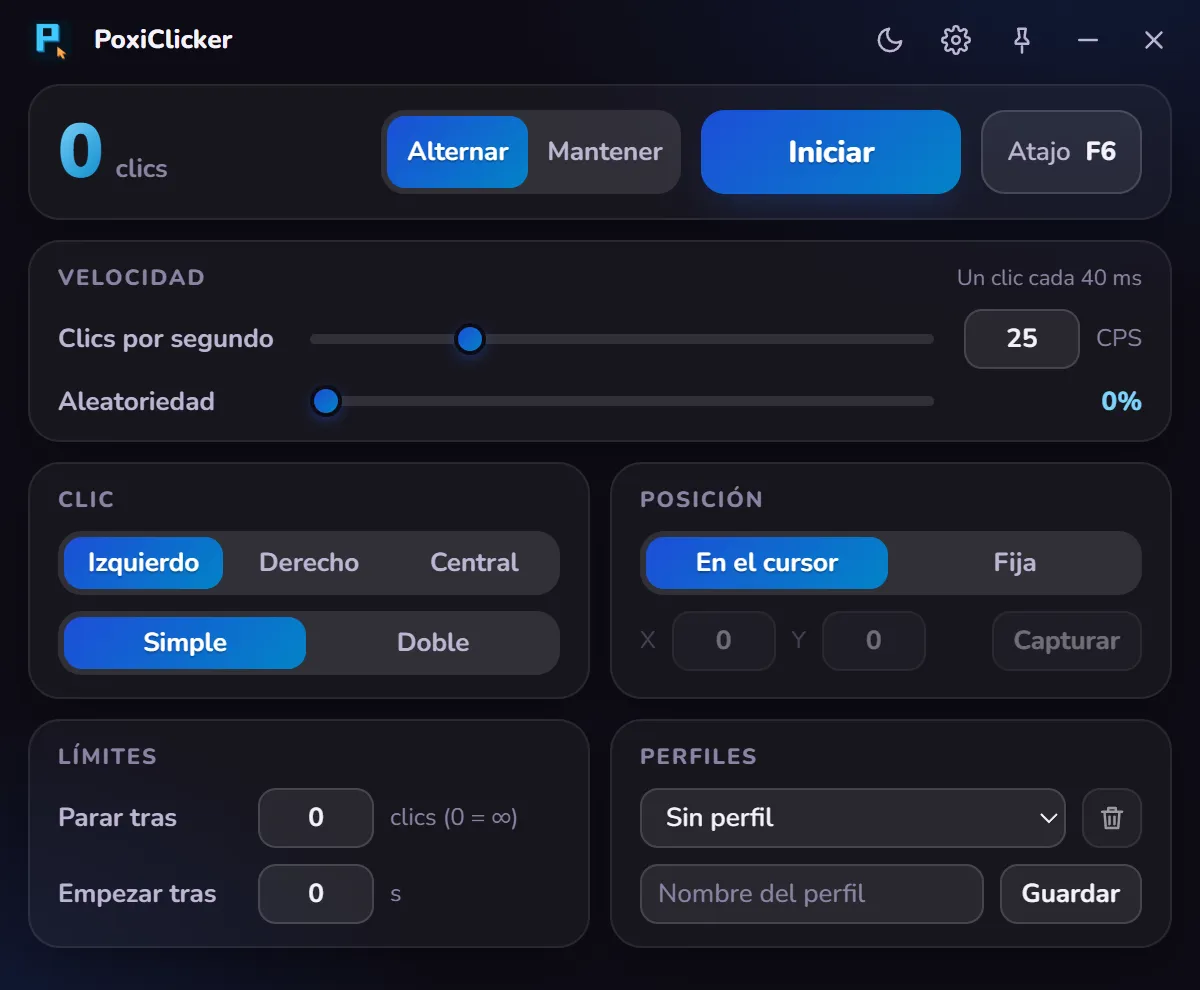
What it does
Installer or portable?
Installer · recommended
Installs like any other app, with a shortcut and uninstall from Windows. Updates itself when a new version is out.
Portable
A single file you open without installing anything. Great for a USB stick or a PC that is not yours.
How to install it
- Click Download and open the file when it finishes.
- If Windows warns you, click More info and then Run anyway. Why does it show up?
- Follow the installer. You will be ready in a minute.
Why it is safe
Check the file
Its SHA256 fingerprint must match the one of the file you download.
21f518745ebb90a4a8b6a8a3847595fb979fe20464a967f72b402f7597e10255What's new in v1.0.2
🇪🇸 PoxiClicker 1.0.2
🐛 Arreglos
- El botón ya no se queda en «Iniciando…»: el ayudante arrancaba tan rápido que a veces avisaba antes de que la interfaz estuviera lista
- Lista de perfiles con el estilo de la app (antes era el desplegable gris de Windows)
📥 Descarga
PoxiClicker-Setup-1.0.2.exe: instalador de un clic, con auto-actualizaciónPoxiClicker-Portable-1.0.2.exe: portable, sin instalar
Si ya tienes la 1.0.1 instalada, se actualizará sola al abrirla.
🇬🇧 PoxiClicker 1.0.2
🐛 Fixes
- The button no longer gets stuck on "Starting…": the helper started so fast that it sometimes reported in before the interface was ready
- Profile list now matches the app style (it used to be the plain Windows dropdown)
📥 Download
PoxiClicker-Setup-1.0.2.exe: one-click installer, with auto-updatePoxiClicker-Portable-1.0.2.exe: portable, no install
If you already have 1.0.1 installed, it will update itself when you open it.
Technical details
| Version | v1.0.2 · 12 Oct 2026 |
| Installer | PoxiClicker-Setup-1.0.2.exe · 107 MB |
| Portable | PoxiClicker-Portable-1.0.2.exe · 107 MB |
| SHA256 | 21f518745ebb90a4a8b6a8a3847595fb979fe20464a967f72b402f7597e10255 |
| License | PolyForm Noncommercial 1.0.0 |
| Source code | github.com/PoxiiTV/PoxiClicker |
When it finishes, open it. If Windows warns you, click More info and then Run anyway. Why does it show up?
When it finishes, open the .dmg and drag the app to Applications. If macOS blocks it, go to System Settings → Privacy & Security → Open Anyway. Why does it show up?